Documentation Index
Fetch the complete documentation index at: https://docs.encord.com/llms.txt
Use this file to discover all available pages before exploring further.
The Encord SDK allows you to interact with Encord’s advanced model features. Our model library includes state-of-the-art classification, object detection, segmentation, and pose estimation models.
Creating a model row
The easiest way to get started with creating a model row is to navigate to the Models tab in your Project on the Encord platform. Create a model and set parameters accordingly.
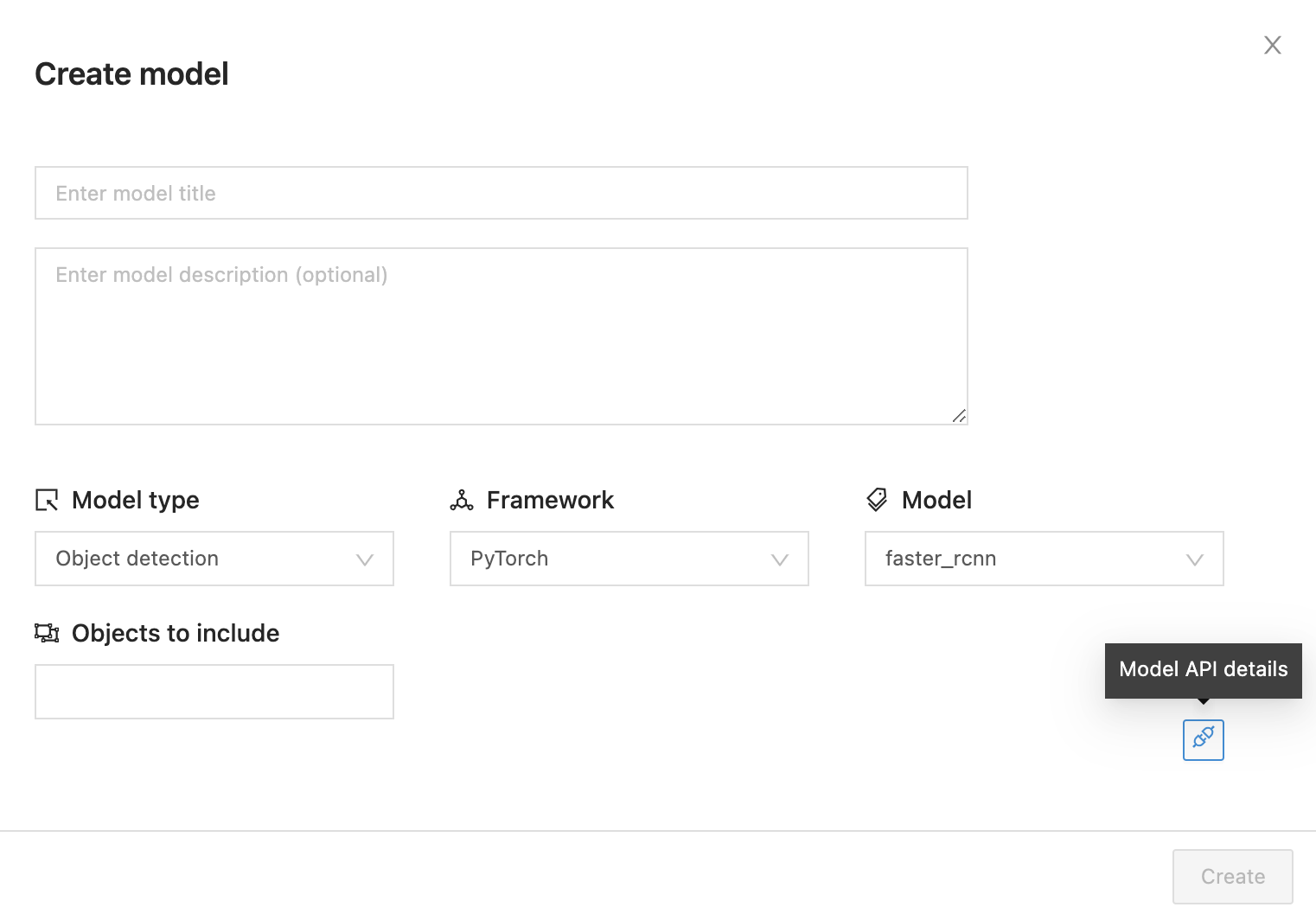 Click on the Model API details button to toggle a code snippet with create model row API details when you are happy with your selected parameters.
from encord.constants.model import FASTER_RCNN

model_row_hash = project.create_model_row(
    title="Sample title",
    description="Sample description",  # Optional
    #  List of feature feature uid's (hashes) to be included in the model.
    features=["<feature_hash_1>", "<feature_hash_2>", ...],
    model=FASTER_RCNN
)
print(model_row_hash)
from encord.constants.model import *.
# Classification
FAST_AI = "fast_ai"
RESNET18 = "resnet18"
RESNET34 = "resnet34"
RESNET50 = "resnet50"
RESNET101 = "resnet101"
RESNET152 = "resnet152"
VGG16 = "vgg16"
VGG19 = "vgg19"

# Object detection
FASTER_RCNN = "faster_rcnn"

# Instance segmentation
MASK_RCNN = "mask_rcnn"
Training models
To get started with model training, navigate to the ‘models’ tab in your project on the Encord platform. Start by creating a model by following the Create model guidelines. You can also use an existing model by clicking on the Train button.
Navigate through the training flow and set parameters accordingly.
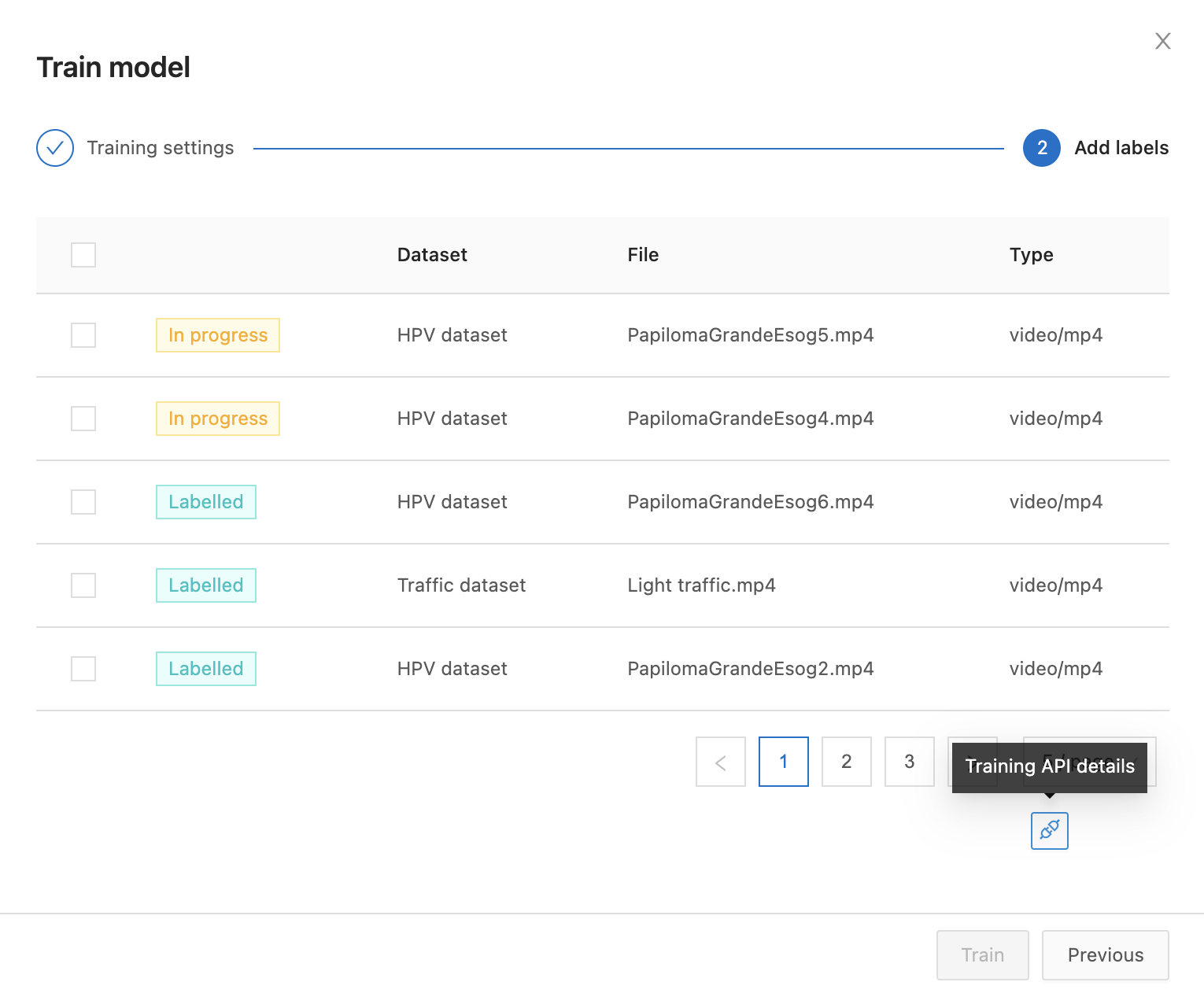 Click on the Training API details button to toggle a code snippet with model training API details when you are happy with your selected label rows and parameters.
from encord.constants.model_weights import *
from encord.constants.model import Device

# Run training and print resulting model iteration object
model_iteration = project.model_train(
  "<model_uid>",
  label_rows=["<label_row_1>", "<label_row_2>", ...], # Label row uid's
  epochs=500, # Number of passes through training dataset.
  batch_size=24, # Number of training examples utilized in one iteration.
  weights=fast_rcnn_R_50_FPN_1x, # Model weights.
  device=Device.CUDA # (CPU or CUDA/GPU, default is CUDA).
)

print(model_iteration)
# Fast AI (classification)
fast_ai

# Faster RCNN (object detection)
faster_rcnn_R_50_C4_1x
faster_rcnn_R_50_DC5_1x
faster_rcnn_R_50_FPN_1x
faster_rcnn_R_50_C4_3x
faster_rcnn_R_50_DC5_3x
faster_rcnn_R_50_FPN_3x
faster_rcnn_R_101_C4_3x
faster_rcnn_R_101_DC5_3x
faster_rcnn_R_101_FPN_3x
faster_rcnn_X_101_32x8d_FPN_3x

# Mask RCNN (instance segmentation)
mask_rcnn_X_101_32x8d_FPN_3x
mask_rcnn_R_50_C4_1x
mask_rcnn_R_50_C4_3x
mask_rcnn_R_101_FPN_3x
Inference
To get started with model inference, make sure you have created a project API key with model.inference added to access scopes. The easiest way to get started with model inference is to navigate to the ‘models’ tab in your project.
Open the model training log for the model you would like to use for inference.
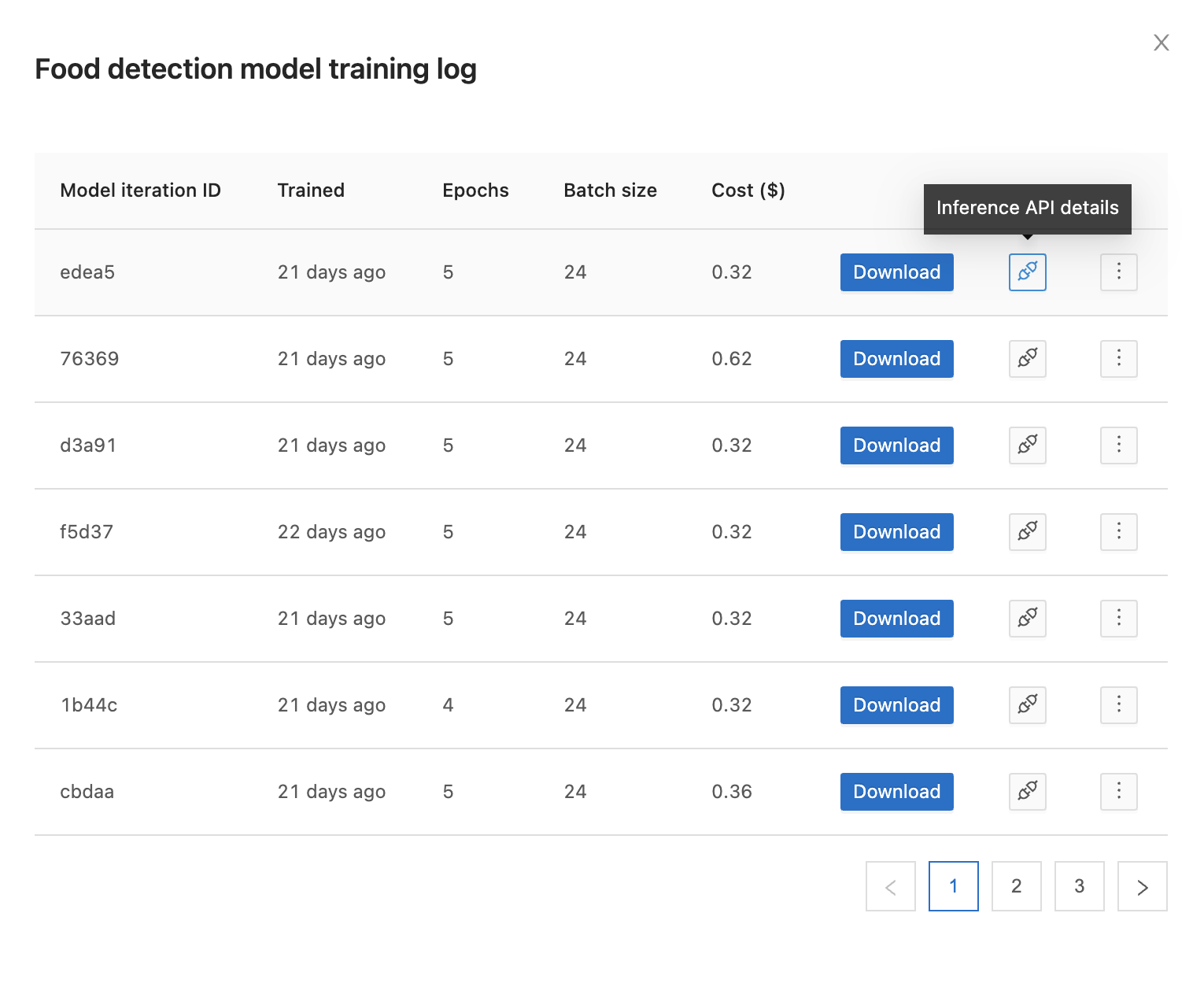 Click the Inference API details icon next to the download button to toggle a code snippet with model inference details.
# Run inference and print inference result
inference_result = project.model_inference(
  "<model_iteration_id>",  # Model iteration ID
  data_hashes=["video1_data_hash", "video2_data_hash"],  # List of data_hash values for videos/image groups
  detection_frame_range=[0, 100],  # Run detection on frames 0 to 100
)
print(inference_result)
data_hashes parameter which is the list of unique identifiers of the video/image groups on which you want to run inference. You can define confidence, intersection-over-union (IoU) and polygon coarseness thresholds. The default confidence threshold is set to 0.6, the default IoU threshold is set to 0.3 and the default value for the polygon coarseness is set to 0.005.
inference_result = project.model_inference(
  "<model_iteration_id>",  # Model iteration ID
  data_hashes=["video1_data_hash", "video2_data_hash"],  # List of data_hash values for videos/image groups
  detection_frame_range=[0, 100],  # Run detection on frames 0 to 100
  conf_thresh=0.6,  # Set confidence threshold to 0.6
  iou_thresh=0.3,  # Set IoU threshold to 0.3
  rdp_thresh=0.005,  # Set polygon coarseness to 0.005
)
print(inference_result)
inference_result = project.model_inference(
  "<model_iteration_id>",  # Model iteration ID
  file_paths=["path/to/file/1.jpg", "path/to/file/2.jpg"],  # Local file paths to images
  detection_frame_range=[1,1],
)
print(inference_result)
inference_result = project.model_inference(
  "<model_iteration_id>",  # Model iteration ID
  file_paths=["path/to/file/1.mp4", "path/to/file/2.mp4"],  # Local file paths to videos
  detection_frame_range=[0, 100],  # Run detection on frames 0 to 100
)
print(inference_result)
inference_result = project.model_inference(
  "<model_iteration_id>",  # Model iteration ID
  base64_strings=[base64_str_1, base_64_str_2],  # Base 64 encoded strings of images/videos
  detection_frame_range=[1,1],
)
print(inference_result)
-
conf_thresh: the value of this parameter should be between 0 and 1.
-
iou_thresh: the value of this parameter should be between 0 and 1.
-
rdp_thresh: the value for this parameter should be between 0 and 0.01.
-
data_hashes: the cumulative size of the videos/image groups specified should be less than or equal to 1 GB, otherwise a FileSizeNotSupportedError would be thrown.
-
detection_frame_range: the maximum difference between the 2 frame range values can be 1000, otherwise a DetectionRangeInvalidError would be thrown.

