


- Validate the current state of the annotations within a frame, video, or image group. You might, for example, want to give the labelers an option to annotate the current state of the labels before submitting.
- Do custom conversions or modifications of labels before they are submitted. For example, you could be simplifying polygons with an RDP algorithm.
- Employ custom prompting models like DINOv or T-Rex2 to speed up annotations.
- Trigger notifications internally related to the given task.
Custom Agents are API endpoints triggered on individual tasks within the Label Editor. They differ from Task Agents, which are Workflow components that activate on all tasks passing through the Agent stage.
General Concepts
Custom Agents work in the following way: Useencord-agents to define the logic for the “Custom Agent [custom API]” section of the diagram. You are responsible for programmatically determining what happens when your custom API receives a project_hash, data_hash, and potentially a frame number.
We help with two different ways of building such Custom APIs:
- Using
Google run functionswhich is Google’s way of building cloud functions. - Using FastAPI which is a flexible (self-hosted) python library for building custom APIs.
- Using Modal which provides a serverless cloud for engineers and researchers who want to build compute-intensive applications without thinking about infrastructure.
Adding Custom Agents
- Click the Agents section on the left. The Agents catalog tab opens.
- Click Create custom agent on the Custom agent tile.
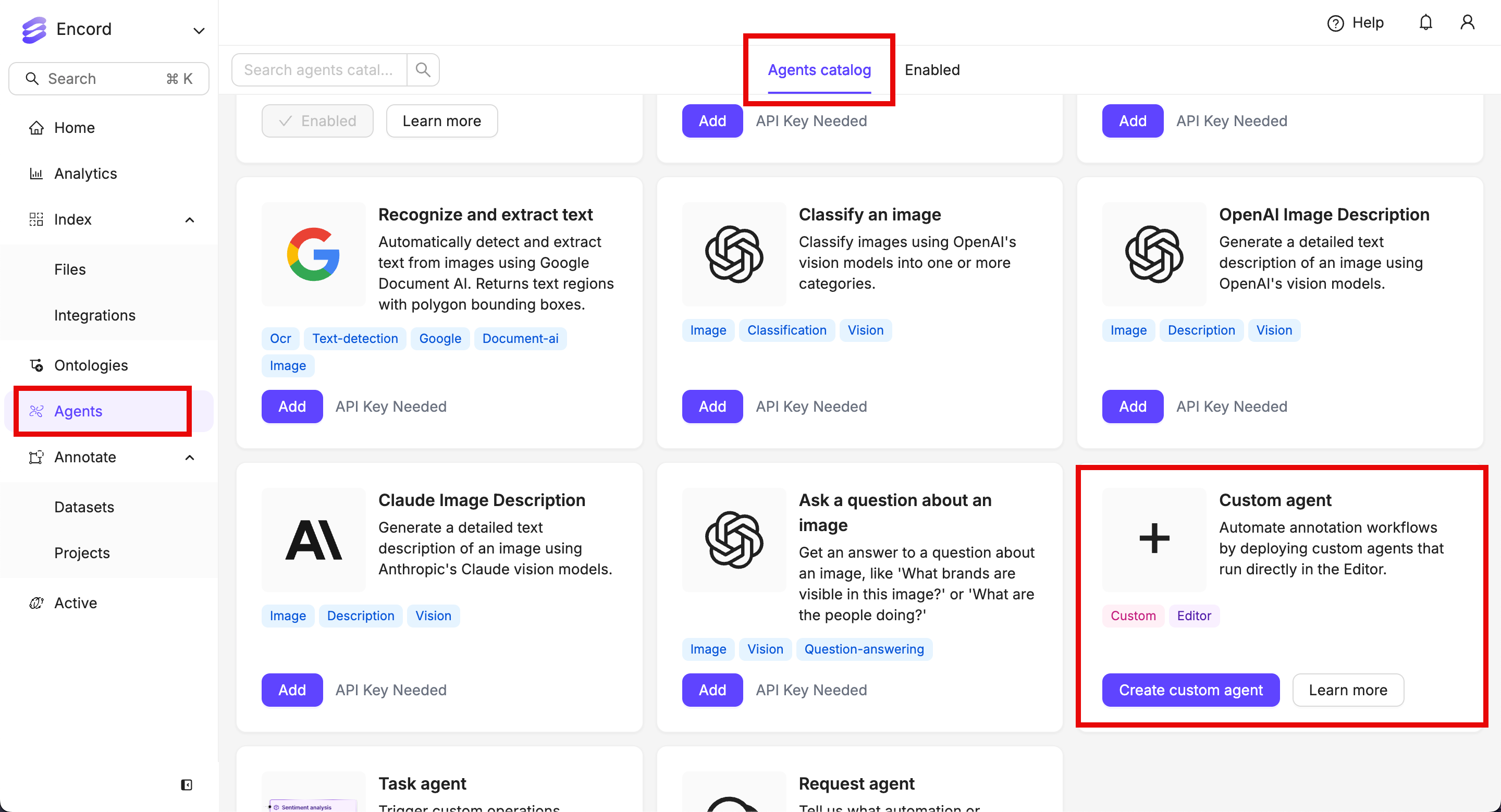
- Give the agent a meaningful name and description.
- Paste the function URL into the Agent endpoint field.
- Click Create custom agent.
Custom Agent Specification
This section details the interface for theAgentPayload, crucial for defining and implementing Custom Agents.
Schema:
FrameData. It’s important to note the objectHashes field, which is defined as string[]. This indicates that the field can either be absent from the payload or, if present, will contain an array of strings representing object hashes.
Testing Your Agent with a Test Payload:
When registering your Custom Agent within the platform at the Custom Agents interface, you have the capability to test its functionality using a sample payload.
To facilitate secure testing, the platform employs the following mechanisms:
- Payload Modification: If you modify the provided test payload, the platform automatically verifies that your agent possesses the necessary access rights to the specified project and data item.
- Distinguished Header: Alternatively, if you use the default test payload without modifications, the platform sends a specific header:
X-Encord-Editor-Agent. Agents receiving this header are expected to respond appropriately for testing purposes.
- Deployment Verification: It allows you to confirm that your agent has been deployed correctly and is reachable by the platform.
- Session Visibility: It ensures that your browser session can successfully communicate with your agent (all requests to your agent originate directly from your browser session, not the Encord backend).
- Project-Specific Testing: It enables you to validate your agent’s behavior on particular projects.
AuthorisationError handler. If your agent encounters any authorization issues, such as attempting to access a project it does not have permission for, the platform generates appropriate error responses.
Specifically, in the case of an authorization failure with the Encord platform, the body of the error response includes a message field with the following structure:
message is then displayed within the platform’s user interface, offering intuitive guidance to users regarding any access-related problems with the agent.