> ## Documentation Index
> Fetch the complete documentation index at: https://docs.encord.com/llms.txt
> Use this file to discover all available pages before exploring further.
# Documents in Data > Explore
Data > Explore supports the curation and organization of your document files. You can import your documents using the UI, from cloud storage (with a JSON file), and using Encord's SDK.
Data > Explore supports the following document file types:
* PDF (.pdf)
Custom Metadata for document files is coming soon.
When importing HTML pages, considering importing the HTML as a single file extension. Importing HTML as a single file extension allows you to import the HTML page with all its resources.
## Quick Tour
Use the *PDF* tab to natively view all the PDF documents available in your Folders. From the *PDF* tab you can sort and filter all of your PDFs based on [PDF Quality Metrics](#document-quality-metrics). If only PDF files are in your Folders, no *PDF* tab is available. Your PDF files display in the Data > Explore. If there are a mix of file types (images, videos, audio files, and document files), menu options are available for the various file types (Video, Frames, Audio, PDF, Files).
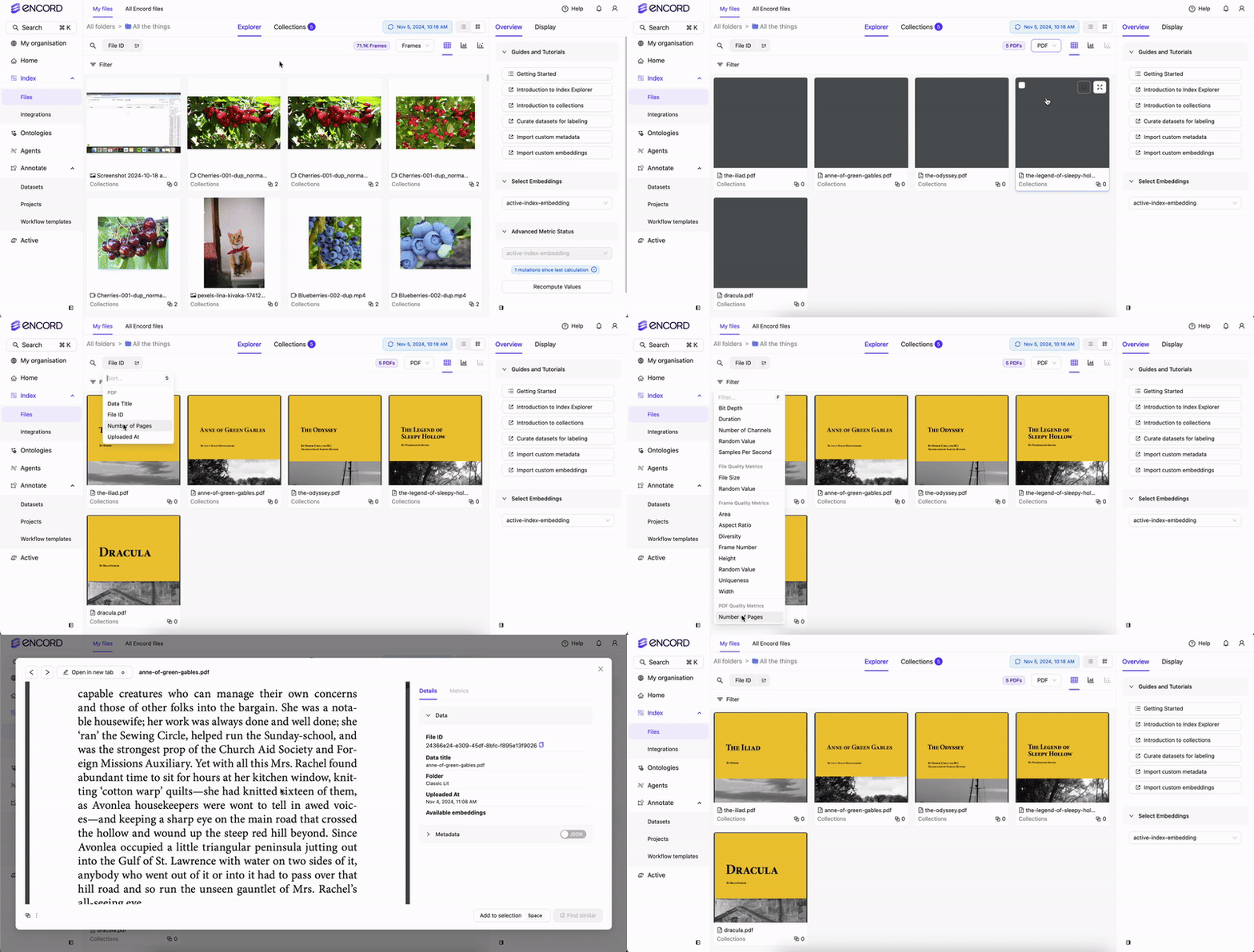
* PDF Quality Metrics for sorting and filtering your.
* Expand the file view to scroll though documents.
## Use Data > Explore PDF Quality Metrics
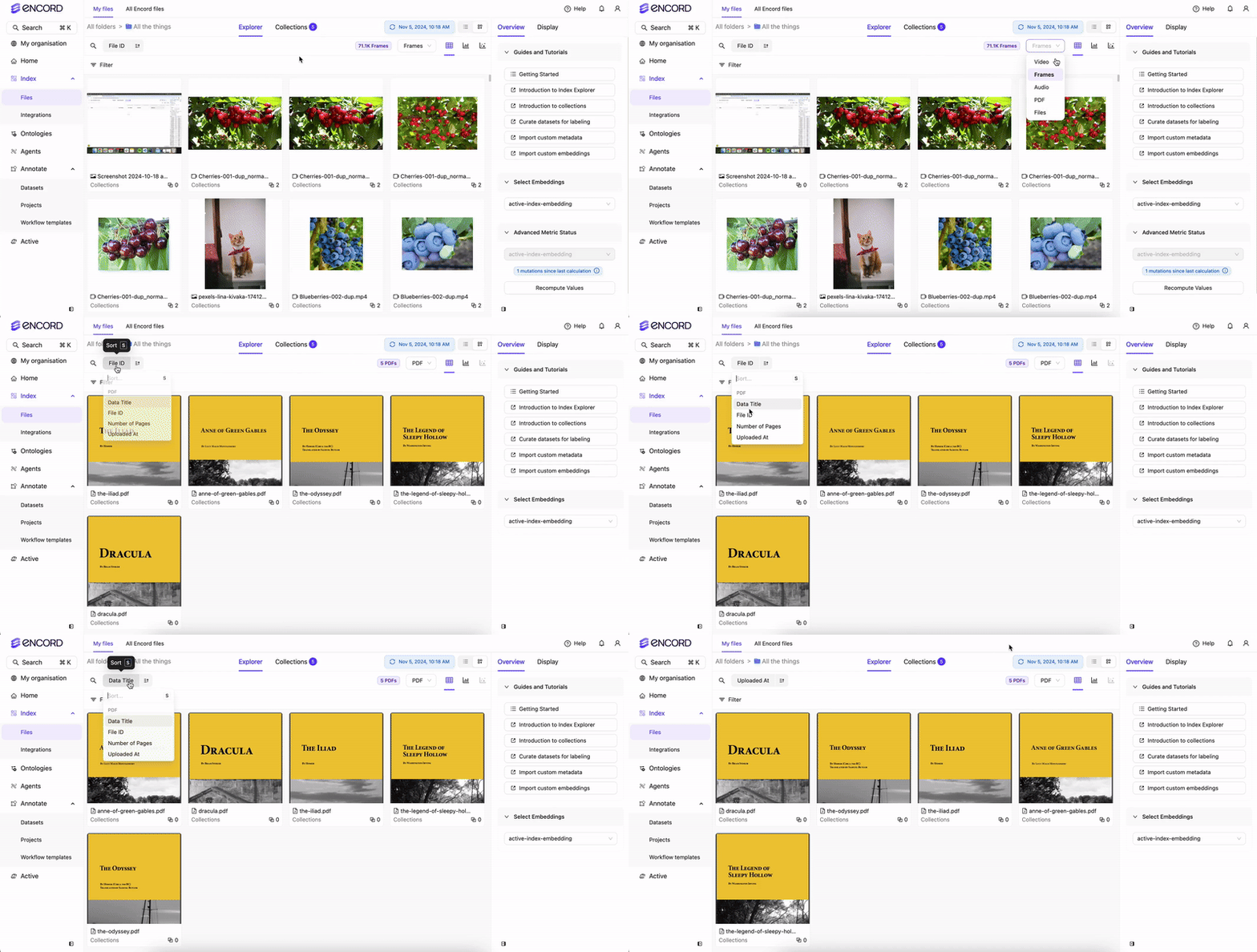
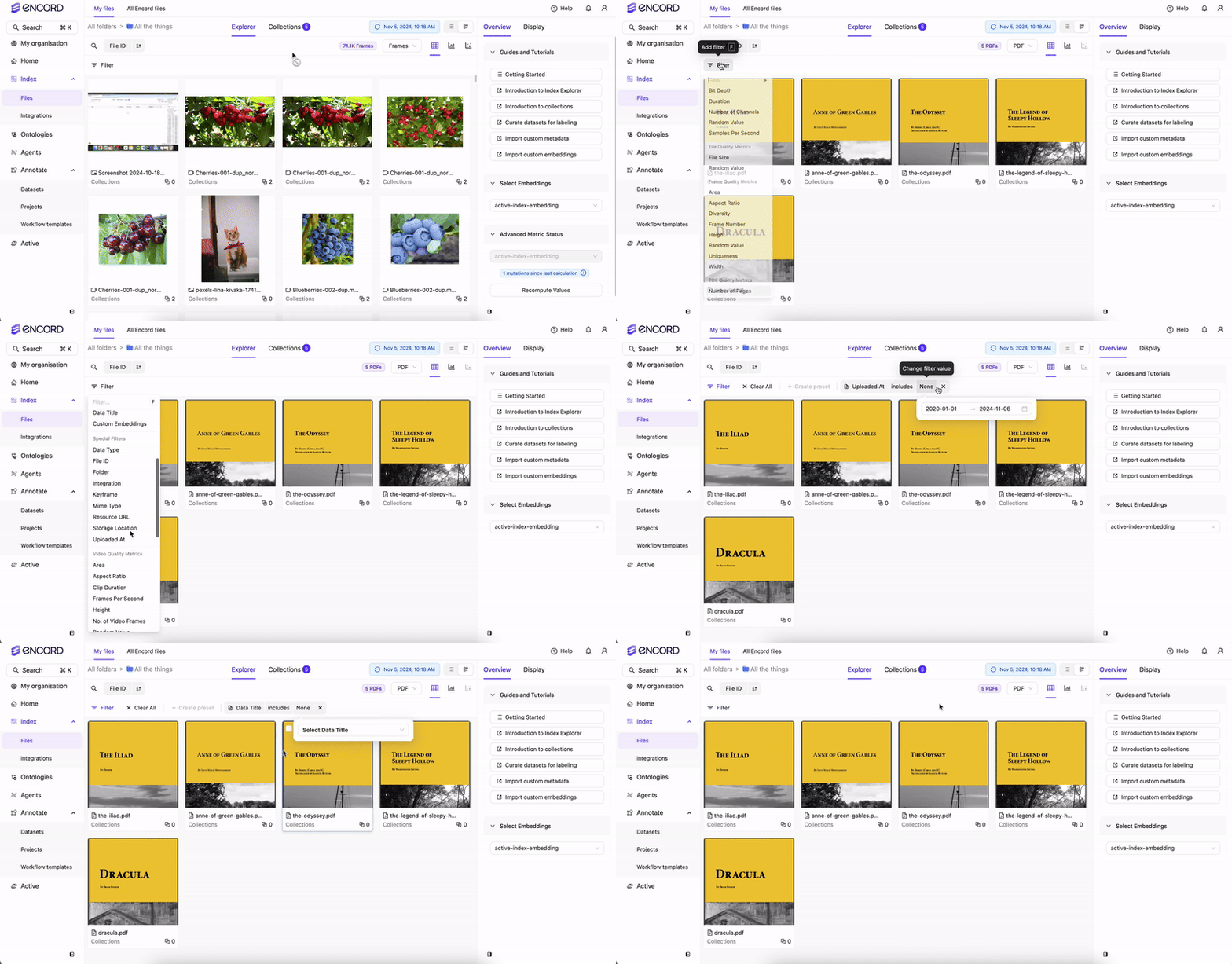
Use PDF Quality Metrics to sort and filter your document files.
**Sort**
**Filter**
### Document Quality Metrics
Data > Explore supports filtering your document files using the following PDF quality metrics:
* Number of pages: Number of pages in the document file.